How Long Will a 1500VA UPS Run Your Computer?
A 1500VA UPS may last from several minutes to over an hour, depending on its battery, the connected watt load, and battery condition. To estimate how long it will run your computer, check the runtime chart for the exact model.
On this page (7 sections)
- How long will a 1500VA UPS last at different loads?
- Why doesn't 1500VA tell you the runtime?
- How do you estimate how long a 1500VA UPS will run?
- What can shorten a 1500VA UPS runtime?
- Which 1500VA UPS features help you manage runtime?
- How should you set up and care for a 1500VA UPS?
- Should you choose a 1500VA UPS for your computer?
A 1500VA UPS may last several minutes to over an hour, depending on the computer's watt draw, the battery condition, and what else is connected. If you're asking how long a 1500VA UPS will last for your computer, the most useful starting point is the manufacturer's runtime chart for that exact model.
A lightly loaded computer can run longer than a gaming PC under heavy use. Add the monitor, router, and external drives to your load estimate because each device using battery power reduces the time available.
How long will a 1500VA UPS last at different loads?
Runtime varies by model and connected load, so use the chart for the UPS you plan to buy. Two 1500VA units can have different watt limits and battery systems, which makes the VA rating a poor way to predict minutes.
Find the manufacturer's runtime chart and look for a watt load close to your complete setup. If your load falls between chart values, use the higher load as the more cautious estimate.
Treat any chart or LCD estimate as a guide. Battery age, charge level, and temperature can affect the time you get during an outage.
A computer's changing workload can affect it too, so leave room to save files and shut down instead of planning to use every estimated minute.
The APC BX1500M's LCD shows estimated runtime, battery charge, and load capacity. That makes it easier to see how the current setup affects its estimate, though the displayed time can change as the load changes.
Why doesn't 1500VA tell you the runtime?
VA measures apparent power, while watts measure real power use. The UPS's watt limit tells you how much equipment it can support, while its battery and load affect how long it can keep that equipment powered.
For example, the CyberPower CP1500PFCLCD is rated for 1500VA/1000W, while the APC BX1500M is rated for 1500VA/900W. Those maximum outputs help you check whether your devices fit, but neither rating promises a particular runtime.
Your computer's draw also changes with its work. Browsing may use less power than gaming or rendering.
A monitor adds to the total, and a computer power supply's maximum rating isn't the same as the computer's typical draw.
For help matching capacity to equipment, see how much VA you need in a UPS. Then use the manufacturer's chart to estimate runtime at your measured watt load.
How do you estimate how long a 1500VA UPS will run?
Add the watt draw of every device that needs battery backup, then compare the total with the exact model's runtime chart. A measured load gives you a better starting point than the computer's power supply rating.
- List the computer, monitor, router, and other devices you want to keep powered.
- Find each device's typical watt draw in its documentation or measure it with a suitable power meter.
- Add the watt figures to estimate the total load.
- Find the UPS maker's runtime chart for your model and compare your total with the closest load.
- Allow for battery age and changes in computer demand, and plan to shut down before the estimate runs out.
A 750W power supply does not mean a computer constantly draws 750W. Use its actual draw during the work you need to protect, and include peripherals only if you want them on battery.
If your goal is saving work and shutting down, you may not need to keep every device powered for an hour. Prioritize the computer and the network connection or storage you need to save files safely.
What can shorten a 1500VA UPS runtime?
A heavier load or an aging battery can reduce runtime. A screen, speakers, external storage, and networking equipment each use part of the battery's available power.
A computer under a demanding workload may draw more than it does while idle. Estimate the full setup during the kind of work you need to protect, rather than counting only the computer.
Battery condition matters as it ages. A UPS that still powers on may hold less charge than it did when new, so a shorter runtime can point to a battery that needs attention.
Read how often to replace a UPS battery for signs of battery wear. If runtime has dropped, learn how to check a UPS battery before relying on it during an outage.
Which 1500VA UPS features help you manage runtime?
Choose a display or shutdown feature if it helps you act before the battery runs low. These features don't add runtime under the same load, but they can help you monitor power or close a computer safely.
The APC BX1500M suits a desktop setup where an LCD runtime estimate and replaceable battery matter. It provides 1500VA/900W capacity, 5 battery backup outlets, and 5 surge-only outlets.
Skip it if your equipment needs more than 900W, or if you need battery backup for more than its 5 battery outlets can serve.
The CyberPower CP1500PFCLCD fits computers with active PFC power supplies and buyers who want sine wave output. It provides 1500VA/1000W capacity and a color LCD.
It also has 6 battery backup outlets. Skip it if you don't need those features and would rather choose based on a different outlet or battery setup.
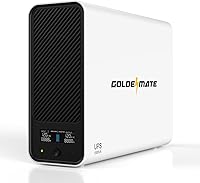
The GOLDENMATE 1500VA/1000W Lithium UPS suits buyers who want a LiFePO4 battery and automatic safe shutdown through a communication connection to a Windows PC, Mac, or NAS. It has 8 battery backup outlets and an LCD.
Skip it if you rely on generator power: its stated input requirements may mean it doesn't recognize generator output as valid AC power or recharge.
The CyberPower CP1500AVRLCD3 suits a 900W-or-lower setup where AVR and a color LCD are useful. It provides 6 battery backup outlets and simulated sine wave output.
Skip it if your equipment calls for sine wave output rather than simulated sine wave.
Compare the UPS watt limit, battery backup outlet count, output type, and monitoring or shutdown features against your setup. The best UPS for a desktop PC guide can help you compare units for computer use.
How should you set up and care for a 1500VA UPS?
Start with the critical devices on battery backup, then check the displayed load and runtime estimate. Put less important equipment on surge-only outlets where available, and leave the battery outlets for the devices that need outage power.
Read the unit's setup instructions and connect it to a suitable wall outlet. Charge it as directed before relying on it.
Keep it where you can see any display or warning lights, and avoid plugging in a surge protector or other device chain unless the manufacturer allows it.
Connect a computer to the UPS's communication port and shutdown software if the model supports it. Set the computer to save work and shut down safely when the battery reaches the chosen threshold, rather than waiting for power to fail.
Check the battery status and runtime estimate from time to time. If the UPS signals a battery issue, follow the model's battery replacement guidance.
Do the same if runtime falls sharply, and keep cables accessible so you can remove nonessential loads quickly during an outage.
Should you choose a 1500VA UPS for your computer?
Choose a 1500VA UPS when its watt limit covers your full setup and its estimated runtime matches your shutdown plan. The label alone can't tell you whether it will keep a particular computer running until power returns.
For active PFC equipment, compare models that specify compatibility and sine wave output. Choose a model with a display that provides a runtime estimate if you want one.
If you value battery replacement or automatic shutdown, check those features before deciding.
A UPS is usually most useful as a bridge through a short outage or as time to save work and shut down. If outages are long or frequent, keep the battery load small and don't treat one estimate as a guarantee.
To choose by capacity and setup, read how to choose a UPS battery backup. The guide to what a UPS battery backup does explains how it supplies temporary power during an interruption.
Frequently asked questions
How long will a 1500VA UPS last at 500 watts?
There isn't one runtime for every 1500VA UPS at 500 watts. Battery capacity, inverter design, battery age, and the connected load affect the result.
Check the runtime chart for the exact model at or near 500 watts.
If it has a display with a runtime estimate, check that with your actual equipment connected.
Does a 1500VA UPS run a gaming PC for an hour?
It might at a low load, but an hour isn't guaranteed for a gaming PC. The computer's draw changes with its workload, and a monitor adds to the total.
Check the model's runtime chart at your measured load, then leave enough battery time to save your work and shut down.
Is a 1500VA UPS enough for a computer?
It can suit many desktop setups, but check both the UPS watt limit and your equipment's combined draw. A 1500VA rating alone doesn't show the maximum watt output or how long the unit will run your setup.
Include the monitor and any other devices you want on battery backup.
How can I make a UPS last longer during an outage?
Reduce the load by disconnecting nonessential devices. Keep only the computer and the equipment you need to save work and shut down, and don't connect high-draw devices unless the UPS is suitable for them.
A healthy, fully charged battery matters too.