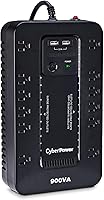
How Much VA Do You Need in a UPS?
Choose a UPS whose watt and VA ratings both cover your equipment, with room to spare. To work out how much VA you need in a UPS, add the power draw of the devices you want backed up, compare that load with both ratings, and then check runtime at a similar load.
On this page (10 sections)
- How much VA do you need in a UPS for your equipment?
- Why do UPS units show both VA and watts?
- How much headroom should you leave?
- Which UPS capacity fits a computer, network, or office setup?
- What should you include in the UPS load total?
- How does UPS size affect runtime?
- What happens if a UPS is too small?
- How do you set up and care for a UPS?
- What common UPS sizing mistakes should you avoid?
- How much VA do you need in a UPS for your setup?
The answer to how much VA do I need in a UPS starts with the equipment you want to keep running. Add its power draw, then choose a UPS whose watt and VA limits both cover that load with room for changes.
A UPS sized for a desktop computer, monitor, and router may not suit a larger workstation with extra displays and storage. Its outlets tell you how many devices can connect, but the watt and VA ratings set the capacity ceiling.
If you’re new to backup power, start with what a UPS battery backup does and our UPS power basics guide. For setups centered on a desktop, see our computer UPS guide.
How much VA do you need in a UPS for your equipment?
You need enough capacity for the devices you want backed up, measured against both the UPS watt limit and VA rating. Add device power use first, then use both limits to choose a model.
- Decide which devices need battery power during an outage.
- Find each device’s power draw in watts from its label, manual, or manufacturer.
- Add those watt figures to estimate the combined load.
- Choose a UPS with a watt rating above the total.
- Check that its VA rating also fits, and review its runtime estimate at a similar load.
For example, if your selected equipment draws 250W together, choose a UPS rated above 250W and confirm that its VA limit covers the same setup. This illustrates the calculation, not a specific runtime or a recommendation for a particular model.
If a device’s label gives amps or VA instead of watts, check its manual or ask its manufacturer how to estimate its power use. Avoid guessing from the device’s size or product category, since devices in the same category can draw different amounts of power.
Why do UPS units show both VA and watts?
VA and watts are separate capacity limits, so your equipment must fit under both. Watts describe real power use, while VA describes apparent power in an AC circuit.
A UPS may have a VA rating that looks sufficient while its watt limit is lower. Check the watt limit against your devices’ combined draw, then confirm the VA rating also suits the setup.
Use the actual watt draw when it’s available. If you only know a device’s VA requirement, get guidance from its manufacturer before choosing a UPS.
How much headroom should you leave?
Choose a UPS with some capacity beyond your current load, especially if you expect your setup to change. The right margin depends on your devices and how much their power use may vary.
A computer can draw different amounts depending on its workload. If you add a monitor, drive, or network device later, include its draw in the total and recheck the UPS limits.
Extra outlets don’t mean extra power capacity. Compare the watt and VA ratings before counting on a UPS to support additional equipment.
Which UPS capacity fits a computer, network, or office setup?
The right size depends on the combined load, the devices you need to keep running, and the time you need to shut them down. These four models suit different load ranges and priorities.
The APC BX1500M is the choice for a larger combined load, with five outlets for battery backup and five surge-only outlets. AVR corrects certain voltage changes without draining the battery, and its LCD shows battery charge, estimated runtime, load capacity, and input voltage.
The CyberPower CP1000PFCLCD fits a smaller load that needs sine wave output for an active PFC power supply. It has five battery-backed outlets, five surge-only outlets, two USB charging ports, and an LCD that displays battery and power conditions.
Choose the APC BE600M1 for a compact, low-load setup where internet access or a safe computer shutdown is the main goal. It has five battery-backed outlets, two surge-only outlets, and a USB charging port that can charge a phone during an outage.
The CyberPower EC850LCD is useful when you want ECO controlled outlets for peripherals that don’t need to stay on after a computer is off or asleep. It has six battery-backed outlets and six surge-only outlets, including three ECO controlled outlets.
For the EC850LCD, confirm the rated watt limit with CyberPower before buying. The product information gives different watt figures, so don’t use the 850VA rating by itself to judge whether it can handle your load.
What should you include in the UPS load total?
Count the devices that need battery power, not every device in the room. A desktop setup might include the computer, monitor, router, and external storage, while a network setup may prioritize the modem and router.
Surge-only outlets protect equipment from surges but don’t provide battery backup. You can use them for peripherals that don’t need to keep running when power fails, leaving battery-backed outlets for the devices that matter most.
Check what should be plugged into a UPS to sort essential equipment from devices that can stay off during an outage. Keep high-draw equipment off a UPS unless its ratings cover the load.
How does UPS size affect runtime?
A larger VA rating may support a larger load, but runtime depends on the load and battery, not VA alone. Compare the maker’s runtime estimate at a watt draw close to your equipment total.
An estimate at 100W won’t tell you how long the same UPS will run at 400W. If your goal is to save work and shut down, choose a capacity that covers the load first, then check whether its runtime estimate gives you enough time.
See how long a 1500VA UPS may run a computer for a closer look at how load affects runtime. Actual runtime varies with equipment draw and battery condition.
What happens if a UPS is too small?
A UPS that can’t support the load may be overloaded during an outage and fail to power the connected equipment as intended. It may also leave too little time for your shutdown plan.
If your total is close to the watt or VA limit, remove devices that don’t need battery backup or choose a higher-capacity UPS. Surge-only outlets don’t add battery capacity.
Recalculate after adding a monitor, drive, or other device. The load that fit when you first set up the UPS may not fit your expanded system.
How do you set up and care for a UPS?
A UPS works best when its battery-backed outlets serve the devices you most need during an outage. Read its manual, connect the UPS directly to a suitable wall outlet, and use its display or indicators to review load and battery status.
Keep the UPS in a stable, ventilated location where you can see its status and reach its controls. Avoid covering its vents or placing it where spills or heat could damage it.
After plugging in your equipment, check the load display if available and make sure the total stays within both ratings. If your setup changes, check the combined load again rather than assuming an empty outlet means the UPS has capacity.
Lead-acid batteries age and eventually need replacement. Several models here have replaceable batteries; check the manual for the right replacement part and safe replacement steps.
For broader battery guidance, read how often to replace a UPS battery.
What common UPS sizing mistakes should you avoid?
The biggest sizing mistake is choosing by VA alone. A UPS also has a watt limit, so check both against the equipment you plan to back up.
Another mistake is adding devices based on the number of outlets instead of the power budget. Five battery-backed outlets still share the UPS’s total capacity.
Don’t assume a higher VA rating guarantees longer runtime. Use runtime estimates at a load close to yours, and remember that batteries lose capacity as they age.
Finally, don’t connect equipment that you don’t need during an outage just because an outlet is available. Prioritize devices that need time to shut down or keep your connection available.
How much VA do you need in a UPS for your setup?
Pick a UPS whose watt and VA limits both exceed your combined equipment load, with room for expected changes. Then choose based on the job: the APC BE600M1 for a light computer or router setup, the CyberPower CP1000PFCLCD for a compatible workstation, or the APC BX1500M for a larger load.
Choose the CyberPower EC850LCD if its outlet arrangement suits your setup, after confirming its rated watt limit with CyberPower. For a full selection process, see our guide to choosing a UPS battery backup.
Frequently asked questions
How do I calculate the UPS size I need?
Add the watt draw of every device you want backed up, then choose a UPS whose watt rating exceeds that total. Check that the VA rating also suits the load, and leave some capacity above your current needs.
Then compare the manufacturer’s runtime estimate at a load close to your total.
Is a 600VA UPS enough for a computer?
It can be enough for a low-load computer setup, but the VA number alone cannot confirm that. Add the computer, monitor, and any other battery-backed devices, then check that their total stays below both the UPS watt and VA limits.
Check runtime too if you need more than enough time to save and shut down.
What is the difference between VA and watts on a UPS?
Watts measure real power use, while volt-amperes measure apparent power in an AC circuit. A UPS has limits for both, and the connected equipment must fit within both limits.
Use watt draw when you can find it, then check the UPS VA rating as well.
Should I leave extra capacity when sizing a UPS?
Yes. Extra capacity gives you room for changes in equipment and helps keep the connected load below the UPS limit.
Add the devices you need backed up first, then choose a unit above that total.
The right amount of room depends on how much your load may change.
Does a higher VA rating mean longer runtime?
No. VA describes a capacity limit, while runtime depends on the connected watt load and the UPS battery.
A higher-capacity unit may support a larger load, but compare runtime estimates at a watt load close to your setup.