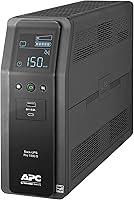
Best Uninterruptible Power Supply for PC: How to Choose
The best uninterruptible power supply for a PC is one whose watt rating clears your PC's real load and whose output matches your power supply type. For a modern active PFC power supply, choose a pure sine wave unit such as the CyberPower CP1500PFCLCD, which pairs a 1000W rating with sine wave output.
On this page (7 sections)
- What watt rating does your PC actually need from a UPS?
- Why does sine wave matter for a modern PC power supply?
- How many outlets does a home desk setup really use?
- How much runtime should you expect from a PC UPS?
- Which UPS fits which kind of PC build?
- How does automatic voltage regulation change the choice?
- Which unit should most readers buy?
The best uninterruptible power supply for a PC is one that clears your computer's real watt load and matches your power supply's waveform needs. For most modern desktops with active PFC power supplies, a pure sine wave unit in the 900W to 1000W range is the safe starting point.
The CyberPower CP1500PFCLCD is the pick for most readers because it pairs a 1000W rating with sine wave output and a clear color display.
The rest of this guide explains how to read the specs so you can check any UPS against your own build. It covers watt versus VA ratings, sine wave versus simulated sine wave, outlet counts, runtime and the battery care that keeps a unit useful for years.
If you already know your wattage and just want a shortlist, our roundup of UPS options for desktop PCs starts with the top choices.
What watt rating does your PC actually need from a UPS?
Start with your PC's real power draw, not its power supply's label. A 750W power supply does not mean the PC pulls 750W from the wall, and a UPS rated just above your PSU's sticker can still leave no headroom.
Add up what your components actually use, then size the UPS to clear that number comfortably.
A typical desktop with a mid-range graphics card draws a few hundred watts under load. Add a monitor, speakers, a router and a modem and the total climbs.
The CyberPower CP1500PFCLCD is rated 1500VA/1000W, and the APC BR1500MS2 and BX1500M are each rated 1500VA/900W. Those watt figures are the real ceiling for battery backup, so treat the VA number as marketing and the watt number as the limit.
A 1500VA label means little on its own; the watt figure tells you what the unit can actually carry.
How to add up your desktop's load
List every device you want on battery outlets during an outage. That usually means the PC, the monitor, the router and the modem.
A network drive or a small NAS belongs on the list too if you keep files there.
Read each device's power rating from its label or its documentation. For a PC, the graphics card and CPU dominate, so use a wattage estimate from those two components rather than the PSU's maximum.
A power meter you plug in at the wall gives you the most accurate figure if you have one.
Then leave headroom. Running a UPS close to its watt ceiling shortens runtime and heats the battery.
A load around 60 to 70 percent of the watt rating gives you a buffer for a monitor and network gear and leaves room for brief spikes. The APC BR1500MS2 lists its full setup capability as 900W, so a build near that figure needs a careful count, not a quick guess.
The physical size matters too. The CyberPower measures 14 x 3.9 x 11 inches and weighs 24.9 pounds.
The APC BR1500MS2 is 14.49 x 3.94 x 10.24 inches at 27.6 pounds. The APC BX1500M is 15.04 x 3.94 x 9.84 inches.
All three are tower units, so check the floor or desk space under your setup before you buy.
For a broader walk through the same math across home devices, see our guide on how to choose a UPS battery backup.
Why does sine wave matter for a modern PC power supply?
Pure sine wave output matters because most current PC power supplies use active PFC, and some of them refuse a stepped waveform. An active PFC supply conditions incoming power before it reaches the components, and a simulated sine wave UPS can confuse that circuit.
The result ranges from a harmless beep to the PSU shutting the PC down during the exact outage you bought the UPS for.
A pure sine wave unit outputs a smooth curve close to what the utility grid supplies. The CyberPower CP1500PFCLCD uses sine wave output and states that it covers active PFC and conventional power supplies.
The APC BR1500MS2 also delivers pure sine wave, while the APC BX1500M focuses on active PFC compatibility and AVR rather than pure sine wave output. All three are line-interactive units, which means they pass utility power through in normal conditions and switch to battery only when the input fails or falls out of range.
Which computers need pure sine wave?
Gaming PCs with modern modular power supplies, workstations, and small home servers are the strongest cases for pure sine wave. These builds often pair an active PFC supply with a graphics card that draws hard and shuts down badly.
A clean waveform removes a variable you cannot easily debug later.
If your PC has an older non-PFC supply, a simulated sine wave unit can work and usually costs less. Check your PSU's model and its documentation before deciding.
When the paperwork is unclear, the safe answer is pure sine wave, because it works with both supply types. The APC BR1500MS2 describes its sine wave output as identical to your utility line, so a sensitive supply sees no difference in shape between grid power and battery power.
The output type is separate from surge protection. A UPS with sine wave output still needs to sit between the wall and your equipment to shield it from spikes.
The CP1500PFCLCD handles both roles in one tower.
How many outlets does a home desk setup really use?
Count your battery-critical devices first, then decide how many surge-only outlets you want for extras. A UPS outlet is not just a socket; battery outlets cost runtime, so only the devices that need to keep running during an outage belong there.
Everything else can take a surge-only outlet or a separate strip.
The CyberPower CP1500PFCLCD has 12 NEMA 5-15R outlets: 6 battery backup and surge protected, and 6 surge protected only. It also adds one USB Type-A and one USB Type-C charge port.
The APC BR1500MS2 offers 10 outlets, with 6 on battery backup and 4 surge-only. The APC BX1500M also has 10 outlets, split into 5 battery backup and 5 surge-only.
The APC units use NEMA 5-15P power cords and NEMA 5-15R outlets, the standard three-prong home plug.
Battery outlets versus surge-only outlets
Put the PC, monitor, router and modem on battery outlets. That set covers the clean shutdown and keeps your network alive so you can finish a call or save a cloud document.
A network drive that holds open files earns a battery outlet as well.
Use surge-only outlets for a printer, a desk lamp, a phone charger or speakers. These devices do not need to survive an outage, but they still benefit from surge protection.
A laser printer is the classic example: its heating cycle draws a heavy burst and can overload a small UPS, so keep it off the battery side.
The two USB ports on the CyberPower are handy for charging a phone during an outage without using a battery outlet. The APC BR1500MS2 also carries front USB ports for the same job.
If your network gear lives far from the desk, the data-line ports on the APC BR1500MS2 and the BX1500M add protection for coaxial and Ethernet runs, so a surge on the cable cannot reach your router through the wire instead of the socket.
Our guide to 1000VA UPS picks for a single desk covers smaller setups where a full 1500VA tower is more than the desk needs.
How much runtime should you expect from a PC UPS?
Expect minutes, not hours, from a home PC UPS. A 1500VA class unit on a full desktop load gives you enough time to save and shut down, or to ride out a brief flicker while the grid recovers.
Runtime grows sharply as the load drops, so a lighter load stretches the same battery much further.
The APC BR1500MS2 lists up to 73 minutes at a 100W load. The APC BX1500M lists 68 minutes at 100W.
Those figures describe a light load, not a gaming PC at full tilt. A desktop pulling several hundred watts will see far shorter runtime.
The APC BR1500MS2 also states a switch time of as little as 8 milliseconds, so a brief dip in the line does not reach the PC as a gap in power.
That is not a flaw. A UPS is a bridge, not a generator.
The goal is a clean shutdown and protection from dirty power, not hours of gaming on battery.
What to do in the first minute of an outage
Save open files as soon as the alarm sounds. Then close demanding applications and shut the PC down properly through the operating system.
A hard power cut can corrupt open documents and, in the worst case, damage a drive mid-write.
If the outage looks brief and your load is light, you can wait a short while. Watch the battery level on the display and shut down before it gets low.
The CyberPower's color LCD shows battery and power conditions and tilts up to 22 degrees for viewing from under a desk. The APC units carry LCD panels with load and battery status.
The runtime question matters most for a home server or a NAS that should shut down on its own. For those, check whether the UPS offers management software that can trigger a shutdown.
CyberPower includes PowerPanel management software as a free download for the CP1500PFCLCD.
Which UPS fits which kind of PC build?
Match the unit to the job your PC does, because a light office desktop and a gaming rig place very different demands on a battery. The three units here cover most home cases, and each one earns its place for a named buyer.
The CyberPower CP1500PFCLCD is the strongest all-round choice for a modern desktop. It delivers sine wave output at 1000W, so it clears the load of most single-GPU gaming builds and workstations with headroom.
Six battery outlets cover a PC, monitor, router, modem and a network drive at once. The tilting color screen helps when the unit sits under a desk.
CyberPower backs it with a 3-year warranty that includes the battery and a 500,000 dollars connected equipment guarantee.
The APC BR1500MS2 suits a buyer who wants pure sine wave and a replaceable battery in the same tower. Its 900W rating covers a demanding single-GPU build, and its 6 battery outlets plus 4 surge-only outlets handle a whole desk from one unit.
Built-in coax and Ethernet surge protection add a layer for network gear. The battery is user-replaceable with the APCRBC163, so you can extend the unit's life instead of replacing the whole tower.
APC covers it with a 3-year warranty. The spec sheet lists a 16-hour charge time and an expected battery life of about 5 years, which is the figure to keep in mind when you plan a replacement.
The APC BX1500M fits a home office where voltage swings are the everyday problem. Its automatic voltage regulation corrects brownouts down to 88V and surges within 13 percent without draining the battery, which keeps the battery fresh for a real outage.
Five battery outlets and five surge-only outlets cover a PC, monitor and network gear with room for peripherals. The user-replaceable battery is the APCRBC124.
APC lists it as active PFC compatible, though it does not carry the pure sine wave label of the other two. Its 789-joule surge rating and 8-hour charge time are the figures to weigh against the other units.
A quick comparison of the three units
| Feature | CyberPower CP1500PFCLCD | APC BR1500MS2 | APC BX1500M |
|---|---|---|---|
| Watt rating | 1000W | 900W | 900W |
| Output | Sine wave | Pure sine wave | Active PFC compatible |
| Battery outlets | 6 | 6 | 5 |
| Surge-only outlets | 6 | 4 | 5 |
| USB charging | Type-A and Type-C | Type-A and Type-C | Not a listed feature |
| Replaceable battery | Battery covered by warranty | Yes, APCRBC163 | Yes, APCRBC124 |
The table shows the split plainly. The CyberPower gives the most watt headroom and the most outlets.
The APC BR1500MS2 gives pure sine wave plus a user-replaceable battery. The APC BX1500M gives AVR and a lower outlet count at the same watt rating.
How does automatic voltage regulation change the choice?
Automatic voltage regulation, or AVR, corrects small voltage dips and spikes without switching to battery. That matters in homes where the lights flicker or the voltage sags when a big appliance starts.
Without AVR, the UPS would switch to battery for every minor dip, draining the battery and shortening its life.
All three units here include AVR. The CyberPower states that its AVR corrects minor power fluctuations without switching to battery.
The APC BR1500MS2 lists AVR against brownouts and spikes. The APC BX1500M specifies its AVR range, correcting low voltage from 88V and surges within 13 percent.
That range covers the slow sags that build up when a fridge compressor or a space heater kicks on in the same house.
AVR is not a substitute for battery backup. It handles small deviations so the battery stays charged for a real outage.
If your area sees frequent brownouts, AVR is worth prioritizing over a slightly higher watt rating. If your power is stable and outages are the main worry, the battery side matters more.
The APC BX1500M's stated 92 percent or better efficiency also matters for a unit that runs 24/7, since it wastes less power as heat between outages.
Which unit should most readers buy?
Most readers should buy the CyberPower CP1500PFCLCD because its 1000W rating gives the most headroom for a modern desktop, and its sine wave output works with active PFC supplies. It also carries the most outlets and a battery-included warranty.
For a typical home desk with a gaming PC or workstation, that combination covers the whole setup without guessing.
Pick the APC BR1500MS2 if pure sine wave plus a user-replaceable battery is the priority. It fits a buyer who plans to keep the unit for many years and swap the battery rather than replace the tower.
Pick the APC BX1500M if AVR against brownouts is your main concern and five battery outlets cover your desk.
Whichever you choose, measure your real load before you buy. A UPS rated well above your draw runs cooler and gives longer runtime, while one sized too close to the edge leaves little room for a monitor or a spike.
For a wider set of home units, see our guide to the best home uninterruptible power supply. Whichever unit you pick, the same rule holds for the best uninterruptible power supply for PC use: clear the watt load, match the waveform, and keep the battery outlets for the gear that must stay on.
Frequently asked questions
How long will a UPS keep a desktop PC running?
A 1500VA class unit typically gives you minutes, not hours, on a full desktop load. That is enough to save open files and shut down cleanly, or to ride out a brief flicker.
The APC BR1500MS2 lists up to 73 minutes at a 100W load, so lighter loads stretch runtime.
Can I plug a laser printer into a UPS battery outlet?
No. A laser printer draws a heavy surge when it heats up and can overload a home UPS.
Put the printer on a surge-only outlet, or leave it on a plain surge strip, and save the battery outlets for your PC, monitor and network gear.
Should I shut down my PC during an outage or wait?
Save your work and shut down once the battery warning appears. Runtime is short on a gaming or workstation PC, and a clean shutdown protects open files.
Waiting risks a hard cut when the battery runs out, which is exactly what the UPS is there to prevent.
Is simulated sine wave safe for a computer?
It depends on the power supply. Many active PFC units accept a stepped waveform, but some trip or shut off when fed one.
A pure sine wave model removes the guesswork.
Check your PSU's documentation before pairing it with a simulated sine wave UPS.
How much UPS capacity does a gaming PC need?
Add up your graphics card, CPU and monitor draw, then choose a UPS whose watt rating clears that total with headroom. A 900W to 1000W UPS covers most single-GPU gaming builds.
A dual-GPU or workstation build needs a careful load count and a larger unit.