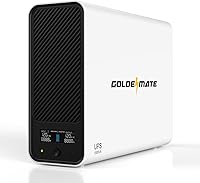
UPS for a Computer With 8 Hours of Backup
No standard desktop UPS runs a full computer for 8 hours on its internal battery. Plan on 1 to 2 hours from a large lithium unit at a light load, and add an external battery pack or a smaller load if you need to cover a full workday.
On this page (9 sections)
- How long does a computer UPS really last?
- What load does an 8-hour UPS need to carry?
- What battery size gives 8 hours at your load?
- Can you get 8 hours from a lithium UPS with an external battery pack?
- Which UPS fits a long outage at a light load?
- What should you run first during a long outage?
- How do you stretch runtime past the first hour?
- How long will a 1500VA UPS run a computer?
- Which UPS should you pick for 8 hours of computer backup?
An 8-hour UPS run for a full desktop computer is a big ask. No off-the-shelf unit with an internal battery covers a whole workday at normal desktop load, so the right answer is to size the load and the battery together, or add an external pack.
This guide shows how to plan a ups for computer with 8 hours backup without overspending on a unit that still falls short.
Start with the real load, not the VA rating. A gaming PC, monitor and router might draw 250 to 400W together, while a mini PC and router may draw under 100W.
That gap decides whether 8 hours is even close.
How long does a computer UPS really last?
A typical desktop UPS gives 10 to 30 minutes at a moderate load, and a large lithium unit reaches about 1 to 2 hours. An 8-hour run is a different class of backup, closer to a small power station than a desk UPS.
The math is simple. Usable battery energy in watt-hours, divided by your load in watts, gives hours.
A 460Wh lithium battery feeding a 250W load gives about 1.8 hours in ideal math, less once the inverter and aging battery take their share.
That is why the VA number misleads. A 1500VA/1000W unit is rated for peak demand, not for 8 hours of steady output.
The battery's stored energy is what runs the clock.
The chemistry matters as much as the size. A lead-acid pack needs replacement as it ages and cannot be run flat without harm, while a LiFePO4 pack in a unit like the GOLDENMATE 2000VA is rated for over 3,000 charge cycles.
That long cycle life means the capacity you buy in year one is close to the capacity you still have years later, which is what a runtime plan depends on.
If you plan around a 50W to 100W load, an 8-hour target gets closer to real. Our guide on how to choose a UPS battery backup walks through load and outlet planning step by step.
Rule: work from watt-hours and watts, never from VA alone. Compare the battery's watt-hours across models before you decide.
What load does an 8-hour UPS need to carry?
An 8-hour run needs your backup load kept small and steady, ideally 50W to 100W total. That covers a mini PC, a laptop, a router and a modem, or a desktop with a single monitor at light use.
Measure what you actually plug in. A mid-range desktop idles around 60 to 100W and can peak well above that under load.
A 27-inch monitor adds 25 to 40W, and a router plus modem adds another 15 to 25W.
Use a plug-in power meter for a day to get your real draw. The number on the power supply label is a maximum, not what the machine uses at the desktop.
Then decide what must stay up. The computer and the network that carries your work are the priority.
Printers, speakers, desk lamps and charging bricks should stay off the battery outlets.
Think about the small loads that hide. The two USB charging ports on the GOLDENMATE units share 10W total, so a phone or smartwatch charging there costs almost nothing from the reserve.
A desk lamp or a powered speaker, by contrast, can pull 20W or more on its own.
Cutting the load is the cheapest way to stretch runtime. Every watt you remove is time you gain, and the math is linear.
Rule: list your must-run devices first, total their watts, and only then look at battery capacity. A smaller load beats a bigger battery every time on cost.
What battery size gives 8 hours at your load?
The battery size you need is your load in watts multiplied by 8 hours, then divided by usable efficiency. For a 60W load that is about 480Wh of usable energy, so a 460Wh lithium unit is close, and a 100W load needs about 800Wh.
Most desktop UPS batteries sit far below that. The GOLDENMATE 2000VA unit carries a 460Wh LiFePO4 pack, which is large for a desktop UPS.
The 1500VA GOLDENMATE model carries 296Wh.
The pack voltage tells you a lot about where the energy sits. The GOLDENMATE units use a 51.2V system, and the 2000VA model pairs it with 9Ah, which is why its total is the highest of the three.
The GOLDENMATE 1500VA uses 51.2V at 5.8Ah for its 296Wh. The ADMLi runs a 25.6V 9Ah pack, so its stored energy is lower even though the amp-hour figure looks similar.
Run the numbers honestly. A 296Wh battery at 100W gives about 2.9 hours in perfect math.
At 50W it approaches 6 hours. The same battery at 300W drops under an hour.
Efficiency and battery age shave the result further. A lithium pack holds its capacity well over its life, but the inverter still loses a slice of every watt it converts.
Use the rating as a ceiling. If your math lands exactly on 8 hours, choose more headroom or cut the load, because real runtime runs shorter than the ideal figure.
Rule: buy for the load you will actually run during an outage, and leave about 20 percent headroom. A unit sized exactly to 8 hours will not deliver 8 hours in practice.
Can you get 8 hours from a lithium UPS with an external battery pack?
An external battery pack is the realistic path to a full 8-hour run, because it adds capacity without changing the outlets or the transfer time. A UPS that accepts one keeps the same clean switchover and grows the reserve.
Not every UPS supports this. Some units have sealed internals and no expansion port.
If a model lists an external pack, that pack is usually sold for that specific UPS and plugs into a dedicated connector.
The trade-off is cost and floor space. A second battery box can cost as much as the UPS itself and takes up desk or floor room.
Plan the placement before you buy.
There is also a wiring point worth knowing. The GOLDENMATE units list PP45 terminals and a built-in Battery Management System, which is the kind of internal design that keeps the pack and the charger talking to each other.
That is good for safety, but it does not turn a sealed unit into one you can expand with a third-party pack.
For the long-outage case, a lithium UPS plus an expansion pack is the tidiest option. Our roundup of the best lithium UPS units lists models built around LiFePO4 packs with long cycle life.
If you would rather not expand, a smaller load is the other lever. Move the heavy work to a laptop on its own battery and keep only the network gear on the UPS.
Rule: choose a UPS with a listed external battery option if 8 hours is a hard requirement. Otherwise plan on 1 to 2 hours and save work often.
Which UPS fits a long outage at a light load?
Three lithium models here cover different points on the load and budget curve. The ADMLi 1500VA has the highest score for light-load use, the GOLDENMATE 1500VA adds more reserve, and the GOLDENMATE 2000VA carries the largest battery.
The ADMLi packs its energy at 25.6V, so its watt-hour total is lower than the 51.2V GOLDENMATE designs. It suits a light load, like a mini PC and network gear, where every watt counts.
It also has a Smart BMS that monitors charging, discharging and temperature.
The GOLDENMATE 1500VA carries a 51.2V 5.8Ah pack and a pure sine wave output with AVR. That reserve fits a small desktop plus monitor and router for a couple of hours.
Its 8 outlets leave room for the network gear beside the computer.
The GOLDENMATE 2000VA carries a 51.2V 9Ah LiFePO4 pack, rated at over 3,000 charge cycles. That is the most stored energy of the three and the best base for a longer run at a light load.
It is also the heaviest at 17.5 kg, so plan the shelf or floor spot.
Rule: pick the ADMLi for a very light load and a compact footprint, the GOLDENMATE 1500VA for a small desktop, and the GOLDENMATE 2000VA when you want the largest reserve here. None of them reaches 8 hours at a full desktop load.
What should you run first during a long outage?
During a long outage, run the computer, one monitor and the network gear, and leave everything else off the battery. That order protects your work and keeps the run time you have.
Shut down optional devices at the start. Printers draw a lot when they wake, speakers and desk lamps are easy to switch off, and phone chargers can move to a wall strip that stays dead.
Save work early and often. An 8-hour plan still depends on a battery that may run shorter than the math, and a clean shutdown beats a sudden loss.
Use the UPS software if the model has it. The GOLDENMATE units include a communication port and USB cable that let a Windows PC start a shutdown through Windows settings.
That feature matters more than extra minutes when the battery does run out.
Keep the load steady. Starting a game or a heavy render during an outage drains the reserve fast, so plan light work for the battery window.
There is one more setting to check before the outage, not during it. The GOLDENMATE units support a 90 to 140V AC input for standard 110V household power, and GOLDENMATE warns that generator power may not meet the input requirements for voltage, frequency, waveform or grounding.
If that happens, the UPS stays in battery mode and never recharges, so a long outage plan that depends on a generator needs a unit that accepts that source, not this one.
Rule: decide your must-run list before the outage and stick to it. The device you forget to unplug is the one that costs you the most minutes.
How do you stretch runtime past the first hour?
You stretch runtime by cutting watts, not by adding devices, and by keeping the battery healthy. A few habits add real minutes at no cost.
Lower the monitor brightness and turn off the second screen. Switch the PC to a power-saving plan and close background apps.
Move the router to the UPS and the printer to a surge-only outlet.
Keep the UPS in a cool spot with open air around it. A hot battery loses capacity faster and ages sooner.
The GOLDENMATE models use a metal enclosure, so leave the vents clear.
Turn down the alarm too, so the beeping does not push you into a rushed shutdown. The GOLDENMATE units put the mute function and the LCD on/off control on a single switch next to the main power button, and the LCD gives real-time battery and power status.
Reading that screen tells you how much reserve is left instead of guessing.
Check the battery now and then. Our guide on how to test a UPS battery covers a simple runtime check you can repeat each year.
A lithium pack holds up well, but the test still tells you when the reserve has shrunk.
Use the UPS as a bridge, not a workday. Save, shut down cleanly and let the battery recover when power returns.
The GOLDENMATE units recharge in a few hours, which is enough to cover a second short outage the same day.
Rule: treat every extra device as time you give up. Unplug what you do not need and the same battery covers more of your day.
How long will a 1500VA UPS run a computer?
A 1500VA UPS runs a computer for about 1 to 2 hours at a light desktop load, and far less at a heavy gaming load. The 1500VA number is the peak output rating, not the run time.
A 1500VA/1000W or 1500VA/1200W unit with a 296Wh lithium pack gives about 2.9 hours at 100W in ideal math. A 250W desktop load cuts that to about 1.2 hours.
A 400W gaming rig drops it under 45 minutes.
Our guide on how long a 1500VA UPS will run your computer runs the same math on real load figures. It helps you match the VA rating to the watts you actually draw.
The lesson for an 8-hour plan is direct. A 1500VA unit is not the answer at full desktop load.
Either step up to the largest pack you can find and cut the load hard, or accept 1 to 2 hours and save your work.
Rule: read the watt-hour figure before the VA figure. A 1500VA label tells you what the unit can output, not how long it will last.
Which UPS should you pick for 8 hours of computer backup?
For most readers, the honest answer is a large lithium UPS plus a light load, not a single unit that runs a full desktop for 8 hours. Pick the GOLDENMATE 2000VA for the biggest internal reserve here, the GOLDENMATE 1500VA for a small desktop, or the ADMLi for a very light load and a compact size.
Then plan the load to match. A 460Wh pack at 50W to 60W gets close to an 8-hour window in ideal math, so a mini PC and network gear is the realistic target.
A full desktop with a gaming GPU needs an external battery pack or a shorter expectation.
Size the desk space as well as the battery. The GOLDENMATE models measure 16.73 by 6.3 by 11.81 inches and weigh 17.5 kg for the 2000VA and 15 kg for the 1500VA, and GOLDENMATE notes that the larger transformer and bigger pack make the enclosure heavier than comparable lead-acid units.
The ADMLi is the smallest at 12.6 pounds, which suits a desk or a shelf where floor room is tight.
Keep the unit cool, test the battery once a year and save work often. The ups for computer with 8 hours backup plan works when you size the watts first and the battery second.
Rule: buy the largest lithium pack you can afford and cut the load to fit it. If 8 hours is a hard requirement, confirm the model accepts an external battery pack before you order.
Frequently asked questions
Can a normal computer UPS last 8 hours?
No. A standard desktop UPS runs a full computer for about 10 to 30 minutes, and a large lithium model might stretch to 1 or 2 hours at a light load.
An 8-hour run needs either a much smaller load or an external battery pack sized for the job.
How do I work out the battery capacity for 8 hours of backup?
Divide the backup watt-hours you need by the battery's usable watt-hours. A 460Wh lithium unit gives about 460Wh of energy in theory, so an 8-hour run needs a load near 50W or a battery bank four to five times larger.
What should I run on the UPS during a long outage?
Run the essentials first: the computer, one monitor, the router or modem, and any storage you need to save work. Cut the printer, speakers and desk lamps, because each one shortens the run time you have.
How long will a 460Wh lithium UPS last at a 200W load?
About 2 hours and 18 minutes at 200W in simple math, less after efficiency losses and a full battery age. At 50W the same battery could reach about 9 hours, which shows why the load matters more than the VA number.