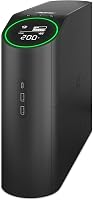
Best Lithium-Ion Battery Backup UPS Units
The best lithium ion battery backup UPS for most homes is a line-interactive unit with a LiFePO4 pack and pure sine wave output. Size it by running watts first, then by the hours you actually need, then check outlet count and shutdown software.
On this page (7 sections)
The best lithium ion battery backup UPS for most homes is a line-interactive unit with a LiFePO4 pack and pure sine wave output. Size it by running watts first, then by the hours you actually need, then check outlets and shutdown software.
That order keeps you from overpaying for watts you'll never draw or undersizing the pack for a long outage.
The units below show the three sensible sizes. Our top pick for most people is the GOLDENMATE 1500VA/1200W Lithium UPS, because its 296Wh pack, eight spaced outlets and AVR cover a full desk plus network gear.
The smaller 800W model fits a light desk or a network shelf, and the 1600W model carries bigger loads for longer.
Our picks at a glance
-
1

-
2
 Best for desks and network gear
GOLDENMATE 1000VA/800W Lithium UPS
8.6/10 our score
See it on Amazon -
3
Best for big loads and long runtimes
GOLDENMATE 2000VA/1600W Lithium UPS
8.0/10 our score
See it on Amazon
What does a lithium ion UPS actually do for your desk?
A lithium ion battery backup UPS does three jobs at once: it conditions dirty wall power, it bridges short outages, and it gives you time to save work or shut down cleanly. These units are line-interactive, so they pass power through while correcting voltage.
A lithium pack changes how long you can lean on that bridge and how often you replace the battery.
- Automatic Voltage Regulation (AVR) trims brownouts and surges before your devices see them. It's why a line-interactive unit costs more than a basic strip.
- Pure sine wave output matches wall power closely enough for active power factor corrected supplies, which most modern desktops and gaming PCs use.
- A LiFePO4 pack holds more usable energy through its life and needs no scheduled replacement.
The trade-off is size and weight. Lithium packs and the larger transformers that support a 51.2V system make these cabinets heavier than the lead-acid units they replace.
The 1500VA model weighs 15 kg and the 2000VA model 17.5 kg, so plan where the unit will sit before it arrives.
If you're still deciding between chemistry types, our lithium ion UPS vs lead acid comparison breaks down cycle life, replacement cost and weight side by side. The short version: lithium costs more up front and needs no battery swaps, while lead-acid costs less up front and needs new batteries every few years.
How many watts should you size for?
Size for the running watts of everything on battery, plus headroom, not for the VA label. VA and watts diverge when loads aren't perfectly efficient, and a unit that's close to its ceiling runs hot and short.
Add up nameplate watts for the devices you want protected, then round up to the next model size.
A typical home office load looks like this:
- Router and modem: about 20–30W together.
- Laptop or small desktop: 60–150W depending on the model.
- Monitor: 25–40W.
- Network switch or NAS: 20–80W.
That's 125–300W for a light desk, which an 800W unit carries easily. Add a gaming PC with a dedicated GPU and the total jumps to 400–700W, where the 1200W unit gives more comfortable headroom.
A workstation with a NAS array or dual monitors pushes toward 800–1,200W, which is where the 1600W unit earns its place.
Check anything with a motor, like a desk fan or a laser printer's fuser. Start-up current can spike well above running watts.
For a printer, keep it off the UPS entirely and leave the battery-backed outlets for the devices you can't afford to lose.
Our guide to choosing a UPS battery backup covers the full sizing method if you want to work through a whole room rather than one desk.
Which size fits your setup?
Pick the size by load and runtime together. The 800W unit covers a modem, router and laptop.
The 1200W unit covers a desktop, monitor and network gear.
The 1600W unit covers heavier workstations and longer windows. The table below lines up the three GOLDENMATE units against the loads each one is built for.
| Product | Best for | Capacity | Outlets | Battery | Our score |
|---|---|---|---|---|---|
| GOLDENMATE 1500VA/1200W Lithium UPS | most home offices | 1500VA / 1200W | 8 | LiFePO4 | 8.7 |
| GOLDENMATE 1000VA/800W Lithium UPS | desks and network gear | 1000VA / 800W | 8 | LiFePO4 | 8.6 |
| GOLDENMATE 2000VA/1600W Lithium UPS | big loads and long runtimes | 2000VA / 1600W | 8 | LiFePO4 | 8.0 |
Best for most home offices: GOLDENMATE 1500VA/1200W Lithium UPS
GOLDENMATE 1500VA/1200W Lithium UPS: Best for most home offices
- LiFePO4 pack at 51.2V 5.8Ah
- 8 outlets
- pure sine wave
A 1500VA line-interactive unit with a 296Wh LiFePO4 pack, AVR and eight spaced outlets, which covers a desktop, router and monitor for a real outage window.
Pros
- 296Wh lithium pack
- Eight spaced NEMA 5-15P outlets
- AVR and pure sine wave
Cons
- Heavier than small lead-acid units at 15 kg
- Needs 90–140V AC input
The 1500VA model is the one we'd pick for a typical home office. Its 51.2V, 5.8Ah LiFePO4 pack works out to about 296Wh, which is a real bridge through a short outage rather than a scramble to save and shut down.
GOLDENMATE rates the pack for over 10 years and more than 3,000 charge cycles, and there's no replacement schedule to plan around.
Eight NEMA 5-15P outlets carry both surge protection and battery backup, and the panel spaces them wide enough for chunky power bricks side by side. AVR handles brownouts and surges before the desk sees them.
The front panel adds one Type-C and one Type-A USB port at 10W total for a phone or tablet, and the communication port with the included cable lets a Windows PC trigger its own shutdown.
The cabinet is metal and weighs 15 kg, so it wants a floor spot or a sturdy lower shelf rather than a wobbling desk edge. It's also built for standard utility power: the 90–140V AC input range covers normal 110V household outlets, but GOLDENMATE notes that generator power may not register as a valid input.
If you plan to run it behind a generator, that's the one detail to sort out first.
Pick this one if your desk runs a desktop, a monitor and a router and you want enough pack to ride out a real outage. If your load is lighter than that, the 800W model saves money and space.
Best for desks and network gear: GOLDENMATE 1000VA/800W Lithium UPS
GOLDENMATE 1000VA/800W Lithium UPS: Best for desks and network gear
- 800W pure sine wave
- 8 outlets
- cooling fan under 50 dB
The smaller GOLDENMATE trims watts to 800 and weight to 5.6 kg while keeping eight outlets, a color LCD and a quiet cooling fan, so it slips under a desk or beside a rack.
Pros
- Light 5.6 kg cabinet
- Fan rated below 50 dB
- 8 outlets
Cons
- 800W ceiling limits bigger loads
- 10-hour charge time
The 800W model is the light one. At 5.6 kg it's easy to slide under a desk or tuck beside a network shelf, and its cabinet is a compact 12.99 by 4.13 by 9.84 inches.
That footprint is the reason it's our pick for a modem, router and laptop setup, or for a small switch where floor space is tight.
It keeps the same eight-outlet panel with battery backup and surge protection, plus the BMS and PP45 terminals. GOLDENMATE rates its LiFePO4 pack for over 10 years and more than 5,000 charge cycles, and the updated cooling fan runs below 50 dB, so it won't whine at you during a long evening of work.
The LCD shows battery and power status in real time, and the single button handles power and buzzer mute.
Two limits matter here. The 800W ceiling leaves less headroom for a big desktop or a laser printer, and the charge time runs to 10 hours, so a full recharge after a long outage takes most of a day.
Neither is a problem for a light, always-on load.
Pick this one if your battery-backed devices total a few hundred watts or less and you'd rather not give up desk space. Move up to the 1200W model when a gaming PC or dual-monitor desk joins the load.
Best for big loads and long runtimes: GOLDENMATE 2000VA/1600W Lithium UPS
GOLDENMATE 2000VA/1600W Lithium UPS: Best for big loads and long runtimes
- 1600W pure sine wave
- 460Wh LiFePO4 pack
- 8 outlets
A 1600W unit with a 460Wh LiFePO4 pack for workstations, NAS boxes and larger desk setups that need more headroom and a longer bridge through outages.
Pros
- 460Wh pack
- 1600W continuous output
- AVR and pure sine wave
Cons
- 17.5 kg
- Larger enclosure than smaller units
The 2000VA model carries the biggest pack and the highest watt rating of the three. Its 51.2V, 9Ah LiFePO4 pack is about 460Wh, so the same desk load that gets a short bridge on the 296Wh unit gets a noticeably longer one here.
It's rated for over 10 years and more than 3,000 charge cycles, and the larger transformer supports the 51.2V system properly.
The extra capacity costs space and weight: 16.73 by 6.3 by 11.81 inches and 17.5 kg. It's the unit to choose when you're protecting a workstation, a NAS with several drives or a desk that also carries a monitor arm and speakers.
The eight outlets, AVR, pure sine wave output and Windows shutdown cable are all carried over from the 1500VA model.
The input caveat applies to all three GOLDENMATE units. They expect 90–140V AC from a standard 110V household outlet.
Generator-supplied power may not meet the input requirements for voltage, frequency, waveform or grounding, so the unit stays on battery and won't recharge. Check your outlet voltage and power source before you commit.
Pick this one when your battery-backed load runs past 800W or you want the longest window before you shut down. For a single desktop and router, the 1200W model is the better spend.
Why choose LiFePO4 over a sealed lead-acid pack?
LiFePO4 is the better pick for a home UPS you plan to keep for a decade. The pack is rated for thousands of charge cycles and over 10 years of life, so you skip the battery replacement cycle that comes with lead-acid.
The upfront cost is higher, and GOLDENMATE puts the total cost of ownership more than 40% lower than conventional lead-acid over the life of the unit.
Three differences matter for a desk UPS:
- Cycle life. The 1000VA unit's pack is rated for more than 5,000 charge cycles, and the 1500VA and 2000VA units for more than 3,000. A lead-acid UPS typically needs a new battery every few years, and each swap costs money and time.
- Usable capacity over time. Lithium packs hold their capacity better as they age, so the runtime you size for now stays close to the runtime you get in year five. A lead-acid pack fades faster and gives you less warning.
- Maintenance. GOLDENMATE says the LiFePO4 pack needs no replacement and no maintenance like a lead-acid battery. The BMS handles charge and discharge limits, so there's nothing to top up or equalize.
The trade-offs are real. Lithium units cost more up front and weigh more for the same watt rating, and the 51.2V system needs a larger transformer, which makes the cabinet bigger.
If you need the lightest possible unit for a small load and plan to replace it in a few years anyway, a lead-acid model can still make sense.
For a full breakdown of both chemistries, read our lithium ion UPS vs lead acid comparison. It covers cycle counts, replacement costs and the weight difference in more detail.
What else should you check before buying?
Check outlet count and spacing, sine wave output, shutdown software and the input voltage range before you buy. These four details decide whether a UPS actually protects your gear or just sits there looking useful.
The GOLDENMATE units cover all four, but the details vary by model.
- Outlet count and spacing. All three units have eight NEMA 5-15P outlets, and the panel is spaced for wide adapters. Count your plugs first: a desktop, monitor, router, modem, speakers and a phone charger already fills six.
- Pure sine wave. All three models output pure sine wave, which is what active PFC power supplies want. A stepped or simulated sine wave can make some supplies buzz or shut down.
- Shutdown software. The 1500VA and 2000VA models include a communication port and USB cable for Windows shutdown. The 1000VA model's controls focus on the LCD and buzzer mute, so plan how you'll handle an unattended shutdown if that matters to you.
- Input range. The 90–140V AC window is the hard limit. Measure your outlet with a meter if you're unsure, and keep generator power out of the plan unless you've confirmed compatibility.
Also think about placement. These cabinets are metal and heavy, and the lithium pack and larger transformer make them bulkier than the lead-acid units they replace.
A floor spot near the desk, with the LCD at eye level when you crouch, beats a crowded power strip on the carpet.
How should you set up and maintain a lithium UPS?
Set up a lithium UPS by charging it fully before its first use, plugging it into a standard 110V outlet and connecting only the devices you need on battery. Then test the shutdown path once so you know it works before an outage tests it for you.
The rest is mostly keeping the unit cool and clear.
- Plug the UPS into a wall outlet in the 90–140V range. Avoid daisy-chaining it behind a surge strip.
- Charge it fully before connecting loads. The 1000VA model takes 10 hours to charge from empty.
- Keep high-draw devices off the UPS entirely and leave the battery-backed outlets for the router, modem and computer.
- Connect the USB cable to a Windows PC and set the shutdown trigger in the power settings.
- Leave the ventilation clear and keep the cabinet out of enclosed, hot spots.
- Check the LCD every few months for battery and load status.
GOLDENMATE notes the high-power cooling fan activates when the BMS detects heavy battery use, so some fan noise during an outage is normal. The 1000VA unit's fan runs below 50 dB, and the switch button doubles as the buzzer mute when mains power is abnormal.
If you hear the alarm, a single press silences it.
Skip generator input unless you've confirmed the generator meets the UPS's voltage, frequency, waveform and grounding requirements. The unit will stay on battery and stop recharging otherwise.
For the broader selection picture, our best UPS battery backup guide covers the categories beyond lithium units.
The bottom line
For most homes, the best lithium ion battery backup UPS is the GOLDENMATE 1500VA/1200W model. It balances a 296Wh LiFePO4 pack, eight spaced outlets and AVR at a weight you can manage.
Pick the 800W unit for a light desk or network shelf, and the 1600W unit when your load runs past 800W or you want a longer outage window.
Whatever size you choose, size by watts first and hours second. Then confirm the 90–140V input matches your outlet and power source.
That one check keeps a good UPS from sitting on battery when it should be recharging.
Frequently asked questions
What size lithium ion battery backup UPS do I need?
Add up the running watts of everything on battery, then allow headroom above that total. An 800W unit suits a modem, router and laptop; a 1200W unit covers a desktop with a monitor; a 1600W unit handles workstations and NAS setups.
Check start-up surges for anything with a motor.
How long does a lithium ion UPS last on battery?
Runtime depends on the load and the pack size. A 460Wh pack runs a light load longer than the same load on a 296Wh pack, and a heavy load shortens either figure.
The maker rates these LiFePO4 packs for more than 3,000 to 5,000 charge cycles and over 10 years of life.
Is LiFePO4 better than lead-acid in a UPS?
For most home buyers, yes. LiFePO4 packs in these units are rated for more than 3,000 to 5,000 charge cycles and over 10 years of life, while lead-acid needs replacement every few years.
The lithium unit costs more up front but needs no battery swaps during its rated life.
Can a lithium ion UPS run a space heater or fridge?
No. Keep high-draw devices like heaters and fridges off the UPS entirely and leave the battery-backed outlets for electronics.
For long appliance backup, a larger battery station fits better than a desktop UPS.
Does a lithium UPS need special wiring or maintenance?
No special wiring is needed beyond a standard 110V outlet in the 90–140V input range. These units are maintenance-free for their rated life, so there is no battery replacement schedule.
The built-in BMS handles charging limits and protection automatically.
Will a pure sine wave UPS protect a gaming PC?
Yes. Pure sine wave output matches the clean power from a wall outlet, which active power factor corrected PC supplies expect.
A line-interactive unit with AVR also corrects brownouts and surges before they reach the supply, so the PC stays stable through short dips.