Best UPS Battery Backups: How to Choose
The best UPS battery backup is the smallest one that covers your real load for the minutes you need. Match running watts to the rating, size runtime from load rather than VA, and pick lead-acid for value or lithium for long-life endurance.
On this page (10 sections)
- How do you work out the load a UPS must carry?
- How much runtime do you really need?
- CyberPower CP1500PFCLCD: the best pick for most desktops
- GOLDENMATE 1500VA/1200W: the lithium option for long-term use
- APC Back-UPS BE850G2: the compact pick for routers and small setups
- Which battery type should you choose?
- What features make a UPS easier to live with?
- How should you set yours up?
- Which one should you buy?
- How we picked
The best UPS battery backup is the smallest unit that runs your real load for the minutes you actually need. Match the watt rating to your combined draw, then choose battery type and outlets from how you'll use it.
That rule saves money and desk space. A smaller supply on a light load can outlast a larger one that is working near its limit.
This guide shows how to size, choose and place one for a home or small office.
How do you work out the load a UPS must carry?
Start by adding the running watts of every device you want on battery. A UPS is sized against that total plus a margin, not against how many plugs you can fill.
Check the labels on your equipment or the power supply documentation. A desktop tower, monitor, router and modem add up quickly, while a modem and a small switch draw little.
Leave headroom above the total. Motors and some power supplies pull a burst of current at startup, and running a unit near its ceiling shortens the time it gives you.
VA is not the same as watts. The two track together but can differ when device power supplies draw current unevenly, and a pure sine wave output is what active PFC power supplies expect.
The watt figure is the hard ceiling. The CyberPower CP1500PFCLCD is rated 1500VA and 1000W, while the GOLDENMATE is rated 1500VA and 1200W.
The APC BE850G2 is 850VA but only 450W. Two units with the same VA can carry different real loads, so read the watts first.
Which devices belong on battery outlets
Put the computer, monitor, router and modem on the battery outlets. Everything you only need surge protection for, like a printer, goes on a surge-only outlet.
Ask what would lose work if power dropped. Those are your round-trip devices: the machine holding unsaved files and the network gear that keeps it reachable.
Count the backup outlets you'll actually fill. The CyberPower splits its 12 outlets into 6 backup and 6 surge, the APC gives 6 battery and 3 surge out of 9 total, and all 8 outlets on the GOLDENMATE carry backup and surge.
A NAS, a modem and a router already take three backup plugs before you add a monitor. Check that mix against each unit's backup count before you buy.
Size for the load you need to protect, not for every plug. If you want the full method, our walkthrough on how to choose a UPS battery backup takes it step by step.
How much runtime do you really need?
Runtime is how long the battery outlets stay live under your current load. The figure moves with what you plug in, so compare units at the same load or the numbers mean little.
A short cut needs seconds or a few minutes. A planned save-and-shutdown needs enough time to press save and close programs.
Riding out a brownout or a small outage needs minutes to a few tens of minutes.
APC says its BE850G2 delivers up to 35 minutes at a 100W load. That is a light load, such as a router and modem, not a gaming desktop.
Work backward from your routine. If your work saves automatically, a few minutes is enough.
If you handle long files, give yourself a longer window and size up.
A unit that runs near its watt ceiling gives very little time. The same battery bank behind a smaller load stretches much further.
That is why the 450W APC is rated for 35 minutes at 100W, a fifth of its ceiling.
Plan the minutes you need, then pick the unit whose watt rating leaves room to deliver them. For a deeper look at how the numbers behave, read what is a UPS battery and how the unit switches when mains power drops.
CyberPower CP1500PFCLCD: the best pick for most desktops
The CyberPower CP1500PFCLCD is the clearest all-rounder here. 1500VA and 1000W with sine wave output suit desktops and workstations that use active PFC power supplies, and the watt ceiling gives real headroom.
It offers 12 NEMA 5-15R outlets: 6 battery and surge, 6 surge only. Two USB ports, one Type-A and one Type-C, charge phones and tablets without taking a protected outlet.
The color LCD shows battery and power conditions, and the screen tilts up to 22 degrees for low placement under a desk. Automatic voltage regulation corrects minor dips without switching to battery, which stretches battery life.
The input is a NEMA 5-15P right-angle plug with a 45-degree offset and a 5-foot cord, so it fits behind a desk without the plug crowding the wall. It weighs 24.9 pounds and measures 14 inches deep, 3.9 wide and 11 high, so measure the floor space before it arrives.
The line-interactive topology keeps the output steady through small fluctuations. AVR handles those without draining the battery, so the pack stays charged for real outages.
CyberPower backs it with a 3-year warranty that includes the battery, plus a 500,000 dollars connected equipment guarantee, and its PowerPanel management software downloads free.
Pick it if you run a desktop, workstation or several devices at once. Skip it for a single router, where its capacity is more than you need.
GOLDENMATE 1500VA/1200W: the lithium option for long-term use
The GOLDENMATE moves the battery chemistry. Its LiFePO4 pack is rated for more than 3,000 charge cycles and a lifespan over 10 years, so it removes the routine lead-acid battery swap.
It's also line-interactive with pure sine wave output and AVR, rated 1500VA and 1200W. Eight NEMA outlets carry both backup and surge protection, and wider spacing helps fit several power cords.
A communication port with a USB cable lets a Windows PC start an automatic shutdown, and two USB charging ports handle small devices. The LCD gives real-time battery and power status.
The pack itself is a 51.2V, 5.8Ah LiFePO4 battery, and GOLDENMATE says it needs no replacement and no lead-acid style maintenance. An internal battery management system watches the pack, and the unit halts charging or discharging if limits are exceeded.
Its larger transformer means a bigger, heavier case, so plan for the space. The enclosure measures 16.73 inches deep, 6.3 wide and 11.81 high and weighs 15 kg.
It supports 90–140V AC input and is built for standard 110V household power, not generator output. A generator whose voltage, frequency or waveform falls outside that range may not be accepted, and the unit stays on battery without recharging.
Pick it if you keep equipment for years and want to skip battery replacements. Skip it if you only need a modest, cheap backup for a router.
If long life is your main goal, see our roundup of the best lithium UPS units.
APC Back-UPS BE850G2: the compact pick for routers and small setups
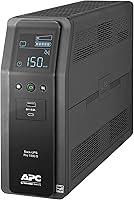
The APC BE850G2 is the small-load specialist. 850VA and 450W cover a router, modem, NAS and a light desktop, and APC rates it up to 35 minutes at 100W.
It has 9 NEMA outlets: 6 battery and surge, 3 surge only. Two USB-A ports share 5V/2.4A for phones and tablets, so charging doesn't cost you a protected outlet.
The battery is user-replaceable in minutes without a technician, using replacement model RBC17 sold separately. LED indicators and a silenceable alarm show status at a glance.
A wiring fault indicator lights when your wall circuit has a problem, which is a useful early warning in older homes. The surge rating is 354 joules.
APC covers it with a 3-year warranty and up to 75,000 dollars in connected equipment protection.
It is the lightest of the three at 9.6 pounds, in a tower case 12.87 inches wide, 4.13 deep and 5.47 high. The 8-hour charge time means you should let it fill before counting on a full run.
Pick it if your critical gear is networking, or your space is tight. Skip it for a high-watt desktop that would outrun its 450W ceiling.
For more small-setup choices, our home office UPS battery backup guide compares options by desk layout.
Which battery type should you choose?
Lead-acid and lithium trade up-front cost against lifespan. Lead-acid costs less and has an easy replacement path; lithium costs more and lasts far longer before it needs attention.
Sealed lead-acid appears in the CyberPower and APC units here, both with replaceable batteries. The GOLDENMATE uses a LiFePO4 pack rated over 3,000 cycles, which GOLDENMATE says cuts total ownership cost substantially.
Cycle count matters most if you expect frequent outages and want to avoid the swap routine. Up-front cost matters most if the machine is cheap and will be replaced soon.
Weight and size follow the battery. The lithium model needs a larger transformer and heavier case, while the APC is the lightest of the three at 9.6 lb.
The CyberPower sits in the middle at 24.9 pounds.
How the batteries age and what replacement involves
A lead-acid pack loses capacity as it cycles, so its runtime shortens over the years. When it gets weak, you swap it.
The APC battery is hot-swappable and user-replaceable, so you can restore full backup without shutting down connected equipment.
The CyberPower's 3-year warranty includes the battery, so a failed pack in that window is covered. Its pack is built from 2 12V batteries.
The GOLDENMATE's LiFePO4 chemistry is the reason for its long cycle count, and GOLDENMATE states the battery needs no replacement. That removes the swap routine, but the larger transformer behind it makes the case heavier and wider than the lead-acid units.
Choose lithium for long ownership and frequent switching; choose lead-acid for a lower entry cost. Neither can outrun a load that's too big for the unit.
| Pick | Rating | Outlets | Battery type |
|---|---|---|---|
| CyberPower CP1500PFCLCD | 1500VA / 1000W | 12 (6 backup) | Lead-acid, replaceable |
| GOLDENMATE 1500VA | 1500VA / 1200W | 8 (all backup) | LiFePO4 |
| APC BE850G2 | 850VA / 450W | 9 (6 backup) | Lead-acid, replaceable |
What features make a UPS easier to live with?
The details you notice daily are the display, the alarms, the software and the outlet layout. They decide whether you can read status at a glance and shut down cleanly.
A color LCD shows battery and load state without opening an app. The CyberPower screen tilts so you can still see it when the unit sits under a desk.
Audible alarms warn of outages and low battery, and the APC model lets you silence its alarm. That matters in a bedroom office.
The GOLDENMATE folds the mute and LCD controls into a single switch next to the main power button.
Software support varies. CyberPower ships PowerPanel management software for free, while the GOLDENMATE uses a USB-linked automatic shutdown through Windows settings.
The APC runs on its own indicators.
Outlet count and spacing matter once cords arrive. The GOLDENMATE spaces outlets wider for bulky plugs, and the CyberPower's 12 outlets split cleanly between backup and surge.
AVR on all three means small dips are corrected without using battery time.
Pick a unit with a display and clean shutdown support if you run unattended equipment. The alarm and app alone won't save files.
How should you set yours up?
Place the UPS on a firm, ventilated surface and keep it out of crowded cabinets. These units are line-interactive and need airflow around the case.
Plug the most important device in first, then work down your list. Confirm the battery outlets are the ones with backup, not surge only.
On the CyberPower and APC that means checking the outlet labels, since both mix backup and surge sockets in one panel.
Connect the USB or communication cable if the unit has one, then set your shutdown trigger. Save important work early to test that the process works.
The CyberPower and GOLDENMATE both offer this path, while the APC leaves shutdown to you.
Let the unit charge fully before you rely on it; the APC states an 8-hour charge time. Run a short self-test by unplugging it for a few seconds.
Keep the surge side for a printer or monitor you don't need powered. Label the cords so a re-plug into the wrong outlet doesn't cost you during an outage.
Leave room for the case size you measured, especially the deeper lithium unit.
Which one should you buy?
For most desktops, buy the CyberPower CP1500PFCLCD for its 1000W ceiling, sine wave output and 6 backup outlets. It covers a workstation and its network gear with headroom to spare.
Choose the GOLDENMATE 1500VA/1200W when long life and automatic shutdown matter more than up-front cost. Pick the APC BE850G2 when your critical load is a router, modem and NAS in a small space.
Whatever you choose, size the supply from your watts and the minutes you need. The best UPS battery backup for your desk is the one that keeps your important gear running without running out of capacity first.
How we picked
Our score weighs specs, features and buyer feedback against what you're shopping for. We compared watt ratings, outlet mixes, battery types and the shutdown tools each unit offers, then ranked them by how well each fits a real use.
A note on timing: runtime figures hold for the stated load and shrink as devices draw more. Check what you'll actually plug in before settling on a model.
The table below puts each pick side by side for a quick load check.
| Product | Best for | Our score |
|---|---|---|
| CyberPower CP1500PFCLCD 1500VA Sine Wave UPS | most desktops | 9.2 |
| GOLDENMATE 1500VA/1200W Lithium UPS | long-term ownership | 8.7 |
| APC Back-UPS BE850G2 850VA | routers and small offices | 8.0 |
Frequently asked questions
How long will a UPS battery backup run my equipment?
Runtime depends on load, not the VA number alone. A bigger supply lasts longer, but a laptop with a small draw runs far longer than a desktop and monitor on the same unit.
Add up your running watts first.
What VA rating do I need for a home office?
Start with the running watts of the computer, monitor, router and modem, then choose a unit rated well above that. A 1500VA model handles a desktop and peripherals, while an 850VA unit covers networking gear.
Is a lithium UPS better than a lead-acid one?
A lithium battery pack such as LiFePO4 lasts longer and removes periodic battery swaps, while lead-acid costs less up front and accepts an easy replacement later. Choose by how long you plan to keep the unit.
Does a UPS keep my internet running during an outage?
A UPS keeps a router and modem on only while its battery has charge. It handles short cuts and brownouts; a long outage still needs a bigger battery or another power source.
What is the difference between VA and watts on a UPS?
VA is apparent power and watts is real power the load uses. Device power supplies can make the two differ, so check the watt rating against your combined draw and leave headroom for startup spikes.
Should I plug a printer into a UPS?
Use surge-only outlets for printers and other devices that don't need backup. Battery outlets are better saved for your computer, router and modem, which need ride-through time.