Best APC UPS With External Battery Connection: How to Choose
APC builds external battery connectors into its larger Smart-UPS rack and tower lines, not into its Back-UPS home-office models, so an APC UPS with external battery connection means a Smart-UPS-class unit. If extended runtime is the real goal, size your load in watts first, then choose the model whose specs support an external pack.
On this page (8 sections)
- Which APC UPS models support an external battery connection?
- How do you size an APC UPS for an external battery pack?
- What runtime should you expect from a UPS with an external pack?
- Is an external battery connection worth it for a home setup?
- How do the main APC models compare for a home setup?
- Which one should you buy?
- How do you connect and maintain an external battery pack safely?
- What should you check before you buy an APC UPS with external battery connection?
An APC UPS with external battery connection starts with the Smart-UPS line, not the Back-UPS line. APC builds external battery connectors into its larger Smart-UPS rack and tower models, while the consumer Back-UPS units run on their internal battery only, so the right first move is to confirm the model supports a pack before you plan around one.
That changes how you shop. You pick the UPS by load and runtime first, then check whether its specs include an external battery connector.
If the answer is no, a bigger internal battery or a second UPS covers the same need without custom wiring.
This guide walks through the sizing math, the models that fit a home setup and the trade-offs of adding a pack. For the broader buying picture, our guide on how to choose a UPS battery backup covers the basics every shopper needs.
Which APC UPS models support an external battery connection?
The short answer: external battery packs are a Smart-UPS feature, not a Back-UPS one. APC builds external connectors into its larger rack and tower Smart-UPS lines, and the matching packs are sold as separate accessories.
The models in this guide show the split. The SMC1500C is a tower Smart-UPS with SmartConnect monitoring, and its specs list a 900W capacity with a 1500VA rating.
The Back-UPS Pro BR1350MS is a home-office model with a user-replaceable internal battery and no external pack in its listed features.
That difference matters more than the wattage. A Back-UPS is designed to carry you through short outages and let you shut down safely.
A Smart-UPS with an external pack is designed for longer runtimes, which is what a NAS, a network closet or a home server usually needs.
The practical test is simple. Before you buy, look at the model's specs for an external battery connector or a listed external pack part number.
If neither appears, that model runs on its internal battery only.
Confirm the connector on the model you choose before you budget for a pack. An external pack is an accessory purchase, not a feature you can assume.
How do you size an APC UPS for an external battery pack?
Size by watts, not volt-amps. Add the watt draw of everything you want to keep running, then choose a UPS whose rated wattage leaves headroom above that total.
A 1500VA rating sounds large, but the usable number is the watt figure. The SMC1500C is rated at 900W.
The BR1350MS is rated at 810W. A network setup of a router, modem and small NAS often lands well under 300W, so either unit covers the load.
Headroom does two things. It keeps the UPS from running near its limit during a surge, and it stretches runtime, because a lighter load drains the battery more slowly.
A unit running at half its rated watts lasts longer than one pushed near capacity.
External packs change the math for time, not for wattage. The UPS still has to deliver your load in watts.
The pack adds capacity so the same load runs longer.
Write down each device's watt draw from its label or its power supply. Then add about 20 percent for overhead.
That total is the number you match against a UPS's watt rating.
Pick the watt rating first, then the runtime. A bigger pack cannot fix an undersized UPS.
What runtime should you expect from a UPS with an external pack?
Runtime is a load-and-capacity calculation, not a fixed number printed on the box. A larger external pack adds time at any given load, and a lighter load adds time on any given pack.
The BR1350MS gives a useful reference point. APC rates it for up to 54 minutes at a 100W load on its internal battery.
At that draw, a router, modem and a couple of small devices would still have time to ride out a short outage.
Move up to a 300W load and the same battery drains much faster. This is why runtime charts matter more than marketing copy.
The model's chart shows minutes at several watt levels, and you read across to your own load.
An external pack extends that curve. If your UPS supports a pack, the pack's own capacity adds to the internal battery's, so the chart shifts upward.
The exact gain depends on the pack size and your load.
For a home office, the goal is usually not hours of runtime. It's enough time to save work and shut down cleanly.
For a NAS or a home server, the goal may be to keep running until power returns or until the device finishes a graceful shutdown.
Choose the pack size by your target minutes at your watt draw. Buy more capacity only when the outage pattern justifies it.
Is an external battery connection worth it for a home setup?
It depends on what the outage costs you. For a desktop PC and a router, a standard UPS with a replaceable internal battery covers the common case: a few minutes to save and shut down.
An external connection earns its place when three things line up. First, your load is small enough that a pack actually buys meaningful time.
Second, your outages run long enough that internal runtime falls short. Third, the model you want supports a pack.
A home network closet is the clearest example. A router, modem and switch draw little power, so a modest pack can hold them up for a long stretch.
A NAS adds storage and a graceful shutdown, which is where extra minutes matter most.
The trade-offs are real. A pack is another box to place, another cable to route and another battery to replace later.
It also adds cost on top of the UPS. For a setup that only needs a safe shutdown, the pack is usually not worth it.
Our roundup of the best UPS battery backup options covers units that do the short-outage job without an add-on pack. Start there if your needs are simple.
Add a pack only when your runtime target exceeds what the UPS's internal battery gives you.
How do the main APC models compare for a home setup?
Here is how the three models in this guide line up for a home buyer. Each one fits a different load size and a different budget level.
APC Smart-UPS 1500VA/900W (SMC1500C): best for a network closet
This is the strongest fit for a home network setup. It's a 1500VA/900W line-interactive tower with pure sine wave output, eight NEMA 5-15R outlets and Automatic Voltage Regulation.
Six outlets carry battery backup and surge protection, and one outlet group is switchable for flexible power management.
APC's SmartConnect feature adds remote monitoring through a secure portal, with automatic notifications and firmware updates. New units registered after August 1, 2023 get SmartConnect as a six-month free trial.
The warranty runs two years for repair or replace (battery excluded) and two years for the battery, with a 150,000 dollars connected equipment protection policy.
Its intelligent battery management monitors the battery and uses temperature-compensated charging to extend battery life. For a buyer who wants a UPS that reports on itself, this is the pick.
The line-interactive design conditions power for servers, switches and routers.
Choose it for a small network closet or home server. It's also the model to check first if an external pack is part of your plan, since Smart-UPS is where APC builds that connector.
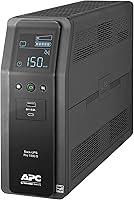
APC Back-UPS Pro BR1350MS 1350VA (BR1350MS): best for a home office desktop
This is the home-office pick. It's a 1350VA/810W pure sine wave unit with ten outlets: six with battery backup and surge protection, plus four surge-only outlets for peripherals.
It also has coaxial and Ethernet surge protection built in.
APC rates it for up to 54 minutes at a 100W load. Its LCD shows remaining runtime, load in watts and system status.
Two USB ports (one USB-C, one USB-A) charge phones and tablets at 5V/3A shared. The battery is user-replaceable (APCRBC161, sold separately).
Automatic Voltage Regulation boosts low voltage and trims high voltage without draining the battery. Pure sine wave output suits modern power supplies and sensitive electronics.
A 1,080-joule surge rating covers spikes.
This model does not list an external battery pack in its features. It runs on its internal battery, which you can replace when it wears out.
For a desk with a PC, monitor and router, that's the normal and sensible setup.
Choose it for a home office or gaming desk. Skip it if your plan depends on an external pack, because this is a Back-UPS, not a Smart-UPS.
Eaton Tripp Lite SMART1500LCDXL: best for rack mounting with a real external pack
This is the model that actually advertises an external battery pack. It's a 1500VA/900W unit with eight NEMA 5-15R outlets and a six-foot input cord.
It mounts in 2U rack space or stands vertically with the included adapter.
The optional Eaton Tripp Lite BP24V15RT2U external pack adds runtime in both half load and full load cases. That is the concrete external-connection example in this guide.
The pack mounts in 2U rack space.
The unit uses Automatic Voltage Regulation to correct brownouts and overvoltages without battery drain. It outputs modified sine wave in battery mode and sine wave in AC mode.
The internal batteries are user-replaceable, and an RJ45 port protects datalines up to 100 Mbps. A rotatable LCD shows voltage, runtime, load, battery and operating mode.
Eaton backs it with a three-year limited warranty and a 250,000 dollars connected equipment insurance.
Choose it for a rack or a setup that truly needs the external pack. The trade-off is the modified sine wave output on battery, which some sensitive electronics handle less well than pure sine wave.
Which one should you buy?
For most home buyers, the SMC1500C is the best pick overall. It has the highest score here at 9.6, the largest watt rating at 900W, pure sine wave output, eight outlets and remote monitoring.
It suits a network closet, a home server or a desk that needs clean power and a clear runtime readout.
If your desk setup is the priority and you want USB charging plus more outlets, the BR1350MS at 8.4 is the home-office choice. It gives you ten outlets and a real-time LCD for a lower load.
If you specifically need an external battery pack, the Eaton Tripp Lite SMART1500LCDXL at 9.2 is the one to shortlist. It's the only model here that lists an external pack with added runtime figures.
Weigh its modified sine wave output against your devices before you commit.
Our APC vs Tripp Lite comparison goes deeper on how the two brands differ on output and monitoring. For a single-model deep dive, the APC Back-UPS Pro BR1500MS2 review covers a larger Back-UPS sibling.
Quick comparison
| Model | Rating | Outlets | Output | External pack |
|---|---|---|---|---|
| APC SMC1500C | 1500VA/900W | 8 | Pure sine wave | Smart-UPS connector |
| APC BR1350MS | 1350VA/810W | 10 | Pure sine wave | Not in listed features |
| Eaton Tripp Lite SMART1500LCDXL | 1500VA/900W | 8 | Modified sine wave on battery | Listed pack option |
Pick the SMC1500C unless your load is small and desk-focused or you need the listed external pack. Those two cases point to the BR1350MS and the Tripp Lite respectively.
How do you connect and maintain an external battery pack safely?
Connect a pack only when the UPS model lists one as compatible. Wiring a random battery to a UPS is unsafe and voids coverage.
The steps are straightforward when the parts match. Power the UPS down, follow the pack's instructions for the cable and mounting, then power back up and check the runtime readout.
The pack's own manual covers the rest.
Maintenance is the part buyers forget. An external pack holds sealed lead acid batteries that age.
The SMC1500C's spec lists a three-year average battery life, and temperature-compensated charging helps it last. A pack in a hot closet ages faster.
Keep the pack where you can reach it and where air moves. Don't stack it against a wall or bury it behind furniture.
Check the LCD or monitoring portal for battery status periodically so a worn pack doesn't surprise you during an outage.
The smartest maintenance habit is a planned test. Unplug the UPS from the wall on a quiet day and see how the load runs.
That tells you whether the internal battery and the pack are still doing their job.
Treat the pack as part of the UPS's maintenance schedule, not a one-time purchase.
What should you check before you buy an APC UPS with external battery connection?
Check five things in this order. Confirm the external connector, match the watt rating to your load, set a runtime target and plan for battery replacement.
- Confirm the model lists an external battery connector or a matching pack part number.
- Add up your device watts and leave about 20 percent headroom.
- Decide how many minutes you need, then compare internal and pack runtime at your load.
- Check the output type, pure sine wave or modified sine wave, against your sensitive electronics.
- Note the battery replacement part and the warranty terms.
The order matters because each step filters the list. If no external connector exists, the pack question ends there.
If the watt rating is too low, no pack fixes it. If the output type is wrong for your gear, extra runtime doesn't help.
The honest summary is that an APC UPS with external battery connection is a niche need. Most homes do fine with a standard UPS and a replaceable internal battery.
Buy the pack when long outages are a real, recurring problem for a small, steady load.
Start with your load total. Then pick the model that covers it with the output type your gear needs.
The external pack decision comes last, after the UPS itself is right.
Frequently asked questions
Can I connect a car battery to an APC UPS?
No. A car battery is not a safe substitute for the sealed lead acid pack a UPS is built for.
The charger and wiring are matched to the original pack, so use the maker's pack or a compatible model.
How long will an APC UPS run on an external battery pack?
Runtime depends on the load in watts and the pack's capacity. A larger pack adds time at a given load, but the exact figure comes from the model's published runtime chart at your watt draw.
What size UPS do I need for a router and NAS?
Add up the watt draw of the router, modem and NAS, then leave headroom. A 900W unit covers most small network setups, while an 810W class model suits lighter loads.